JavaScript monitoring, the security kind
Two different products share this name. One tells you whether your JavaScript is working. This one tells you whose JavaScript is running on your page and what it is doing with your customer's card.
Start for free
Talk to an expert
TL;DR
JavaScript monitoring
TWO CATEGORIES, ONE NAME
Performance and error monitoring watches your own code for faults. Security script monitoring watches other people's code for behaviour. Only the second is relevant to PCI DSS 6.4.3.
WHAT IT WATCHES
Every executing script, its payload hash, what it touches in the DOM, where it sends data, and the security headers the browser received.
ACTING ON IT
Blocking by domain, URL, payload hash, or a single capability. The last one keeps a needed vendor while removing its access to the payment form.
Short on time? If you want stack traces and Core Web Vitals, you want an APM. This is the security sense of the term.
ON THIS PAGE
What is JavaScript monitoring?
In a security context, JavaScript monitoring means recording every script that executes on a page, verifying its origin and payload against what was approved, observing what it does at runtime, and alerting when any of that changes. The same phrase is also used for performance and error monitoring, which watches your own application code for exceptions and load times. The two answer different questions for different buyers. Security JavaScript monitoring is mostly concerned with code you did not write, and it is the control PCI DSS requirement 6.4.3 describes for payment pages.
Two things called JavaScript monitoring
The phrase covers two unrelated product categories, and it is worth knowing which one you are shopping for before you book demos.
Performance and error monitoring
Security script monitoring
The question it answers
Is our JavaScript working, and how fast
Whose JavaScript is this, and what is it doing
Typical signals
Errors, stack traces, load times, Core Web Vitals
Script origin, payload hash, DOM access, outbound destinations
Whose code it watches
Mostly your own application code
Mostly code you did not write
Who buys it
Engineering and SRE
Security, compliance and ecommerce
Relevant to PCI 6.4.3
No
Yes, this is the control the requirement describes
This page is about the second. If you are looking for the first, an APM or front-end error-monitoring tool is what you want, and it is a good product category that solves a real problem, just not this one.
What security JavaScript monitoring watches
01
Every script that executes
Including scripts loaded by other scripts, which is where most surprises live.
02
The payload, hashed
So a vendor changing file contents without changing the URL becomes a visible event rather than a silent one.
03
Runtime behaviour
Which DOM elements a script touches, whether it reads form inputs, and where it sends data.
04
Outbound destinations
New destinations are worth a review queue. A skimmer's defining action is sending data somewhere new.
05
Obfuscated and packed code
Malicious scripts are routinely obfuscated. De-obfuscation happens off the page, so the analysis cost is not paid by your visitor.
06
Security headers
A loosened CSP changes what the browser will allow and is invisible in the page body. This is the 11.6.1 surface.
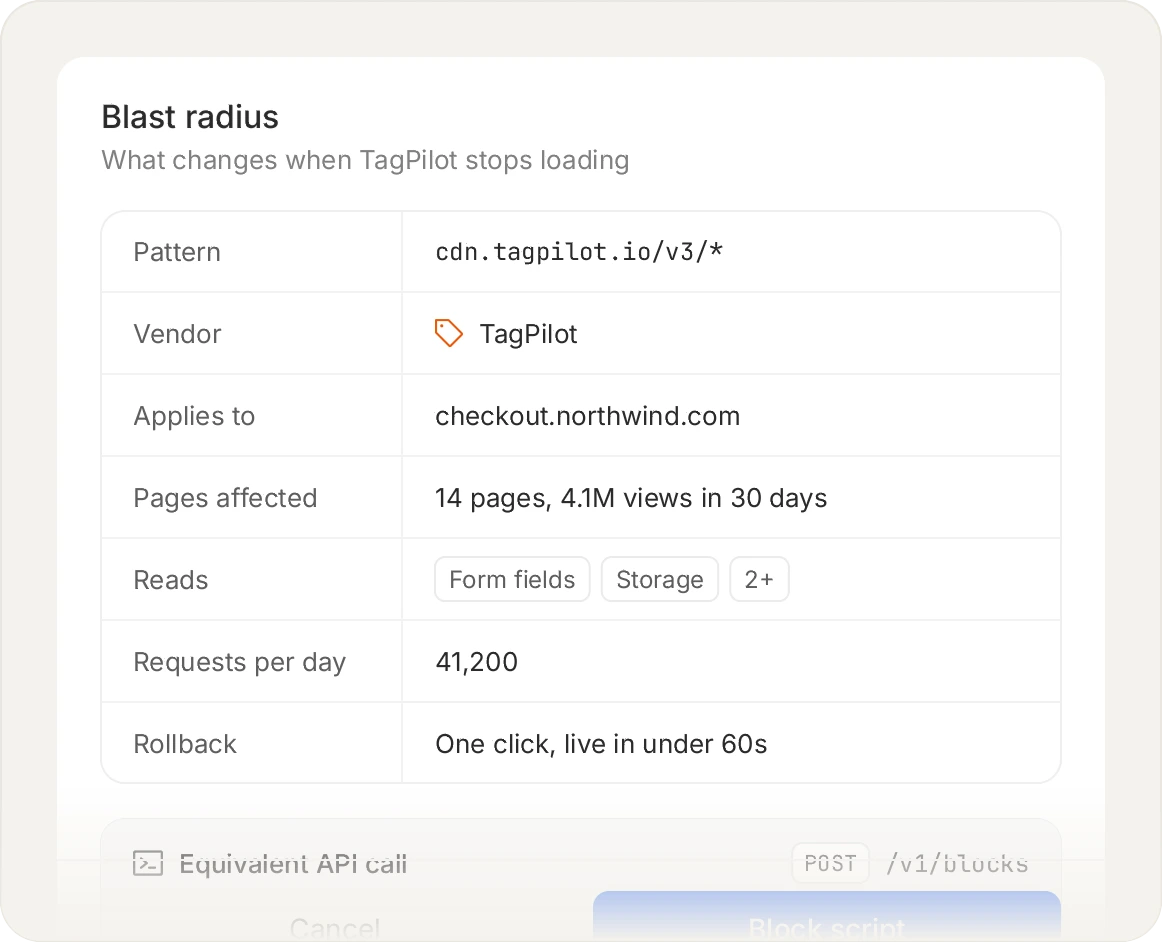
Blocking by hash pins the exact payload you approved, so a vendor that ships new code has to be re-approved rather than silently inherited.
Acting on what you find
Monitoring that can only describe a problem leaves you filing a ticket while the script keeps running. Blocking works at four granularities, and the last one is the one teams underuse: keeping a vendor script alive while removing one capability, such as the ability to read form fields. That is often the right answer for a tag the business genuinely needs on a page where it should never touch the card.
Blocking, monitor-only mode and the full inventory are on every plan, including free.
Start for free
See pricing
Frequently asked questions
Read the FAQ
No. Error monitoring watches your own code for exceptions, stack traces and performance. This watches all code, most of it third party, for origin, integrity and behaviour. Different signals, different buyers, and only this one is relevant to PCI DSS.
Yes. Malicious scripts are routinely obfuscated, so de-obfuscation and analysis happen off the page rather than in the visitor's browser. That keeps the analysis cost away from your checkout while still producing a readable answer about what the script does.
Yes, and inline matters more than people expect. An injected inline script has no URL to allowlist and no file to hash externally, so identifying it by what it does is often the only handle you have on it.
Yes, it monitors your tag manager, and it is deliberately not installed through one. Those are two different things and the distinction matters. A container is a mechanism for injecting arbitrary JavaScript by design, which makes it one of the more useful things to watch and an attractive target. It also makes it the wrong place to load a monitor from: if an attacker gets container access, a monitor installed through that container can be removed or altered by the same access that let them in. The tag goes in through your own code or your build, so watching the container does not depend on the container.
No, and this is a deliberate design boundary. The subject of monitoring is the script, not the visitor: which scripts ran, what they were, what they touched, and where they sent data. The point of the product is noticing when a script reads a card field, not reading it ourselves.
They are related and CSP reporting is worth having. Violation reports tell you when something was blocked by policy, which is a narrow slice: it says nothing about scripts your policy allows, and a compromised approved vendor generates no violation at all.
Only where you point it. Scope is a set of URL patterns you define, and page views are counted only on pages inside that scope, so watching one checkout flow costs what that flow's traffic costs rather than what your whole site's traffic costs. Widening scope later is a configuration change.
Start with the scripts already on your checkout.
Install the tag, mark your payment pages, and see the inventory fill in. Free forever on 1,000 page views a month, no credit card.
Free forever plan. No credit card.