Alerts that reach a named human
11.6.1 asks you to alert personnel. A log nobody is subscribed to does not meet it, and the alert record is what an assessor asks to see.
Start for free
Talk to an expert
What is alerts?
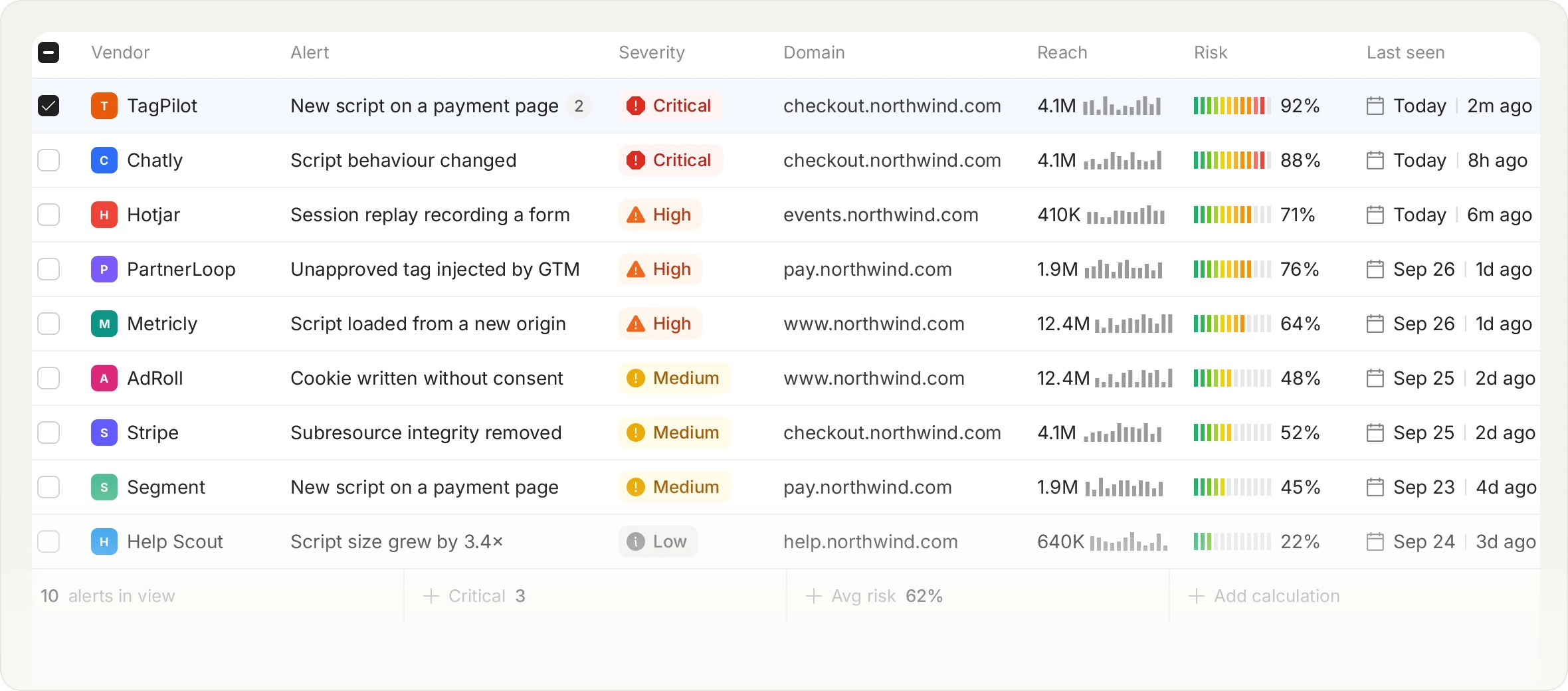
An alert is a notification to a named person or channel that something on a payment page changed or that a script did something it should not have. The distinction from logging matters for compliance. PCI DSS 11.6.1 requires that personnel are alerted to unauthorised modification, so a dashboard that nobody opened and a log with no subscriber both fail the requirement even if the detection worked perfectly.
Three channels, and that is deliberate
There are exactly three ways an alert leaves the product, and we would rather be precise than pad a logo wall. Email, to named recipients or the whole team. Webhook, which is the general case: it sends JSON, Slack Block Kit or Discord payloads, so it reaches Slack, Jira, Discord, PagerDuty or anything else that accepts an HTTP request. S3 log push, hourly CSV batches to a bucket you control, which is the path into a SIEM. There is no named integration per platform, because the webhook already reaches more destinations than a list of logos would.
Ten alert types, mapped to real events
Script threat detected, vulnerable script detected, high-risk vulnerability, malicious outbound connection, outbound connections pending review, malicious tag manager, managed list flagged, security headers changed, PCI report available, and the weekly vendor review reminder.
Choosing between the three
Email suits compliance recipients who want the record in an inbox. A webhook suits any team with an existing on-call or ticketing flow, because the alert lands where they already work rather than in another dashboard. S3 suits a security team that lives in a SIEM and wants the raw stream.
Severity that means something
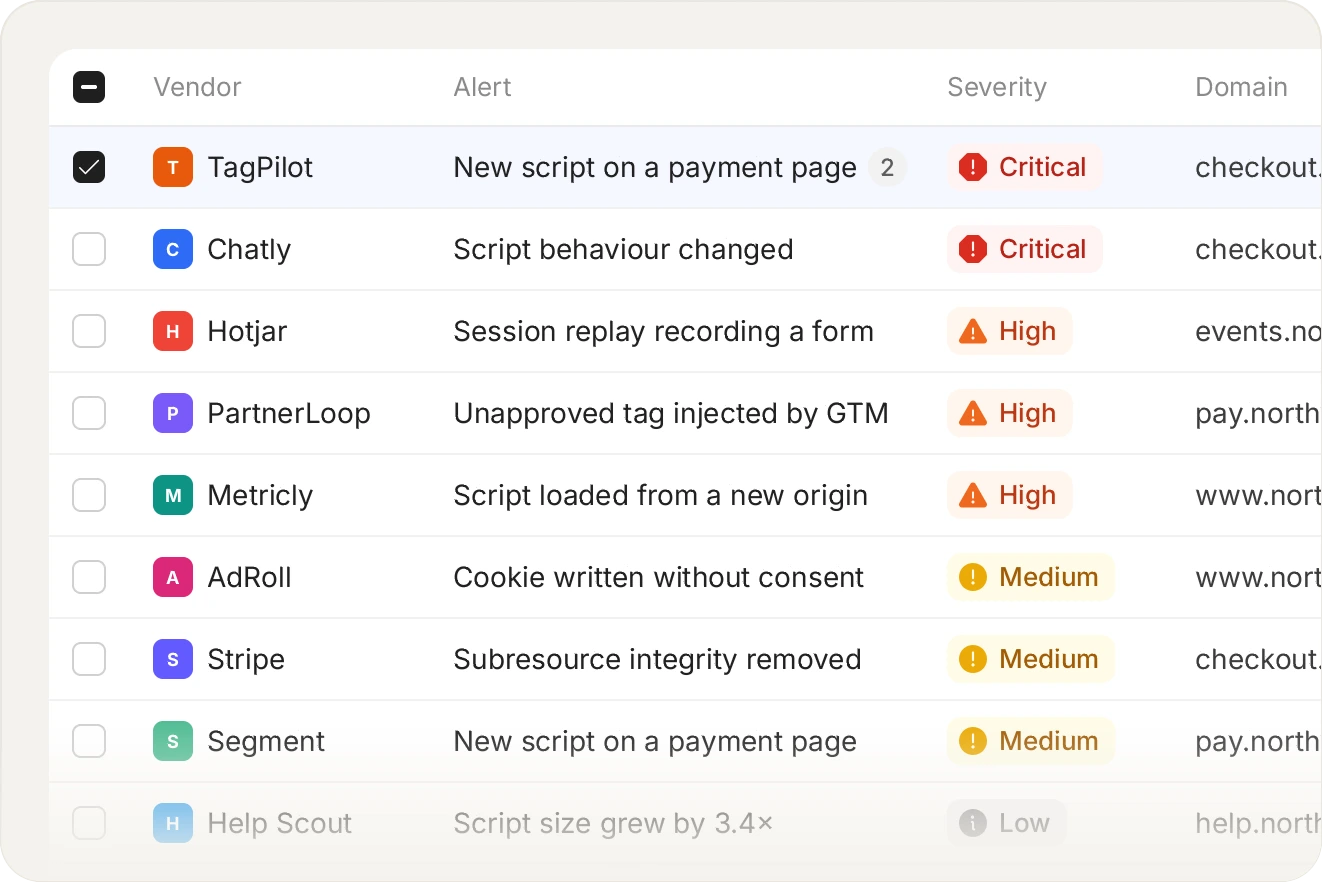
Critical, high, medium and low, assigned by what the script did rather than by how unusual it looked. A script reading a card field is critical regardless of how ordinary its origin is.
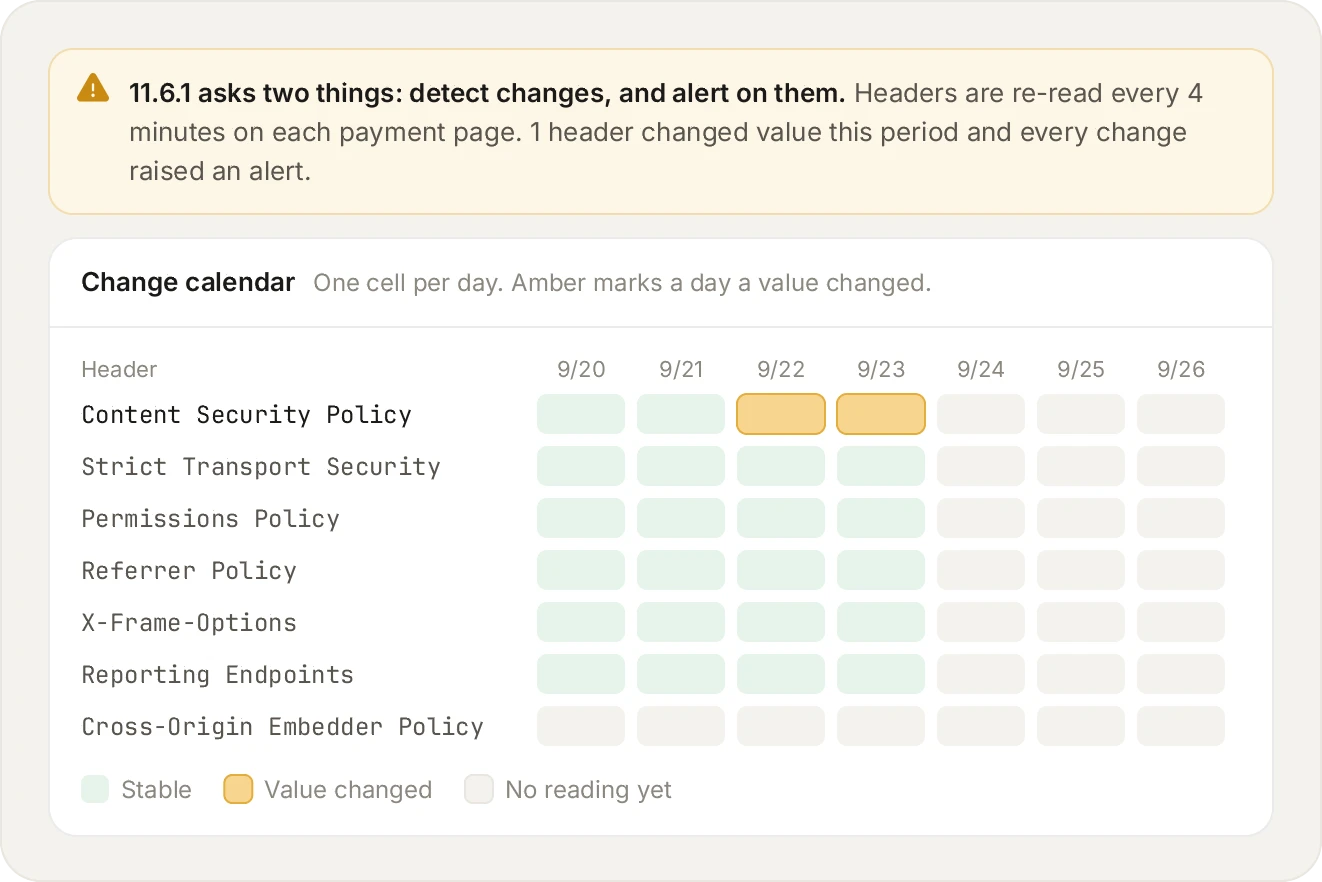
Requirement 11.6.1 is a change-detection record. Two distinct values for one header inside the weekly window is the change, and the alert is the evidence that personnel were told.
Related platform capabilities
Script inventory
Every script, with a justification per script.
Tamper detection
Content and integrity changes on the page.
Header monitoring
Distinct values seen per header, per week.
Vendors and load chains
Who loaded whom, and from where.
Script blocking
By URL, hash, domain, or single action.
Monitor-only mode
The same evidence, nothing stopped.
Frequently asked questions
Read the FAQ
Yes. Rules are per alert type, so header changes can go to an email list while malicious outbound connections fire a webhook that pages your security on-call.
Yes, they are a large part of it. The evidence an assessor asks for is the change detected, when, on which page, and that personnel were notified. All of that is in the alert record and in the weekly pack.
This is visible, and deliberately so. Acknowledgement is recorded, and unacknowledged alerts appear in the weekly evidence pack, because 'we were alerted and did nothing' is a different finding from 'we were never alerted'.
Yes, through the webhook, which is how all of them are reached. We do not ship a separate named integration per platform. The webhook sends JSON, Slack Block Kit or Discord payloads, so anything accepting an HTTP request works. There are three channels in total, email, webhook and S3, and we would rather say that plainly than imply a longer list.
Yes, through the webhook or the hourly S3 CSV batches. That covers SIEMs and observability tools alike, since both accept either an HTTP push or a bucket. Both channels are on Pro and Enterprise plans.
Not usually, and the first thing to check is how many sessions saw it. A script that appears in a single visitor's session is almost always a browser extension running in that person's browser, not something on your page, and every visitor carries their own extensions. A compromise of your own page template shows up across many sessions at once, because every visitor gets the same HTML. The sighting count is therefore the fastest triage you have, and both cases are worth seeing, because an extension reading a payment form is still a real event on a real customer.
See it on your own payment pages.
Install the tag, mark your payment pages, and watch the inventory fill in. Free forever on 1,000 page views a month, no credit card.
Free forever plan. No credit card.