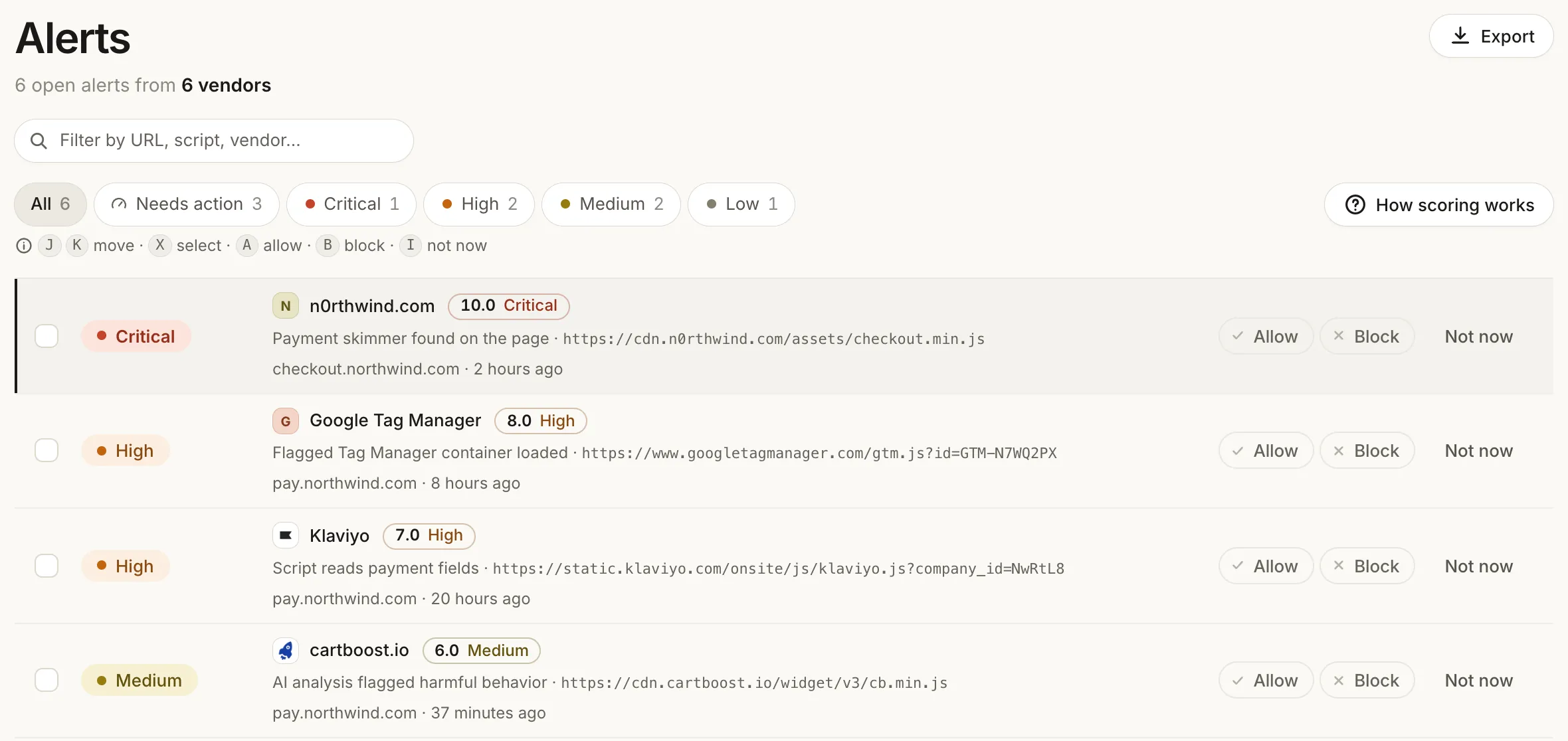
Detection rules find; AI confirms. Rules score each script on your pages by its code and by where it comes from, the rules engine rates each detection from Critical to Low, and AI assigns flagged scripts a category with a confidence score. You are alerted on what calls for action.
AI script analysis is how Script Monitoring decides which scripts on your pages deserve an alert. Detection rules score every script by its code and by the domains it comes from. AI then assigns each flagged script a category, such as payment skimmer, with a confidence score. You get an alert with the reason and the evidence, and everything else stays visible on the script's page.
Five steps from a script to an alert
01
Observe
Our tag reports every script it sees on your pages.
02
Score
We fetch each script body we have not scored yet, parse it, and scan it against signature rules. Identical code is scored once, matched by a hash of its content. Where the script comes from feeds the score too: the registrar, domain age, DNSSEC, certificate health, who owns the network it is served from, and hits on threat lists.
03
Rules
Rulesets turn those attributes into a detection and rate each detection's severity: Critical, High, Medium or Low. Some rules are heuristics, some are facts such as a known vulnerability (CVE) or a threat-list hit, and some are exact signatures of known attack code.
04
AI analysis
AI reviews each flagged script and assigns it a category, such as payment skimmer, with a confidence score. The category and confidence decide what alerts.
05
Alert
A detection in a category that calls for action, with enough confidence, shows up in your dashboard with its severity, the reason and the evidence.
Detection rules find; AI confirms
A rule is fast and specific, but it only knows the pattern it was written for. AI reviews what a rule flagged and says what it is. Because AI comes after the rules, it only reviews what something already flagged, and its category and confidence, not a single matched pattern, decide whether you are alerted.
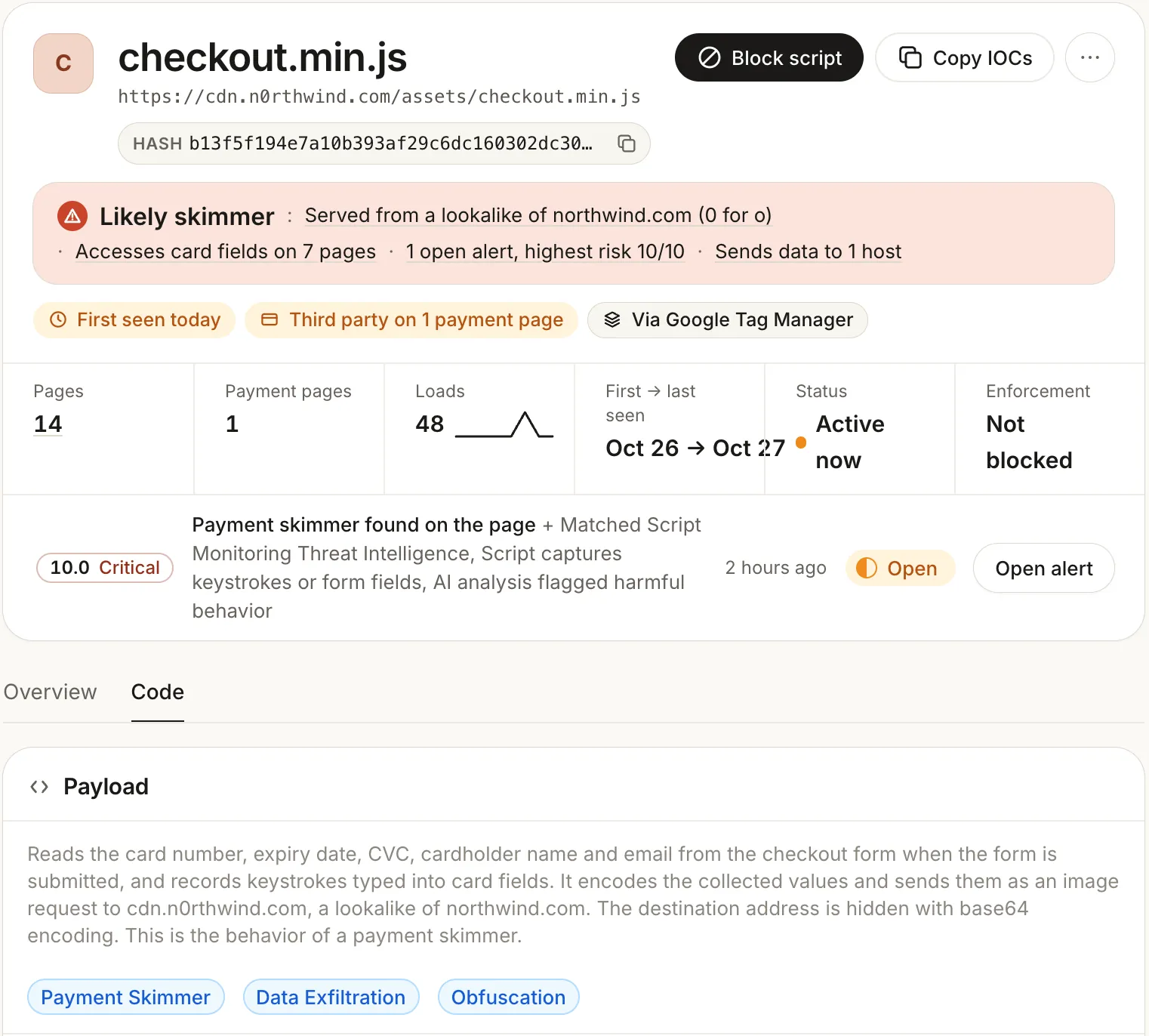
Lookalike of northwind.comReads card fields on 7 pagesSends data to 1 host
AI analysis
Payment skimmer94% confidence
Copies card number and expiry from the payment form and sends them to a lookalike domain.
Script seen on the payment page
What an alert shows
The script's page leads with what was found and what led to it: here a lookalike of your own domain, card fields read on seven pages, and data sent to one host. The alert lists the detections that fired.
Under Code, the AI explains in plain language what the script does, and tags it with categories such as Payment Skimmer, Data Exfiltration and Obfuscation.
Not alerted still stays visible
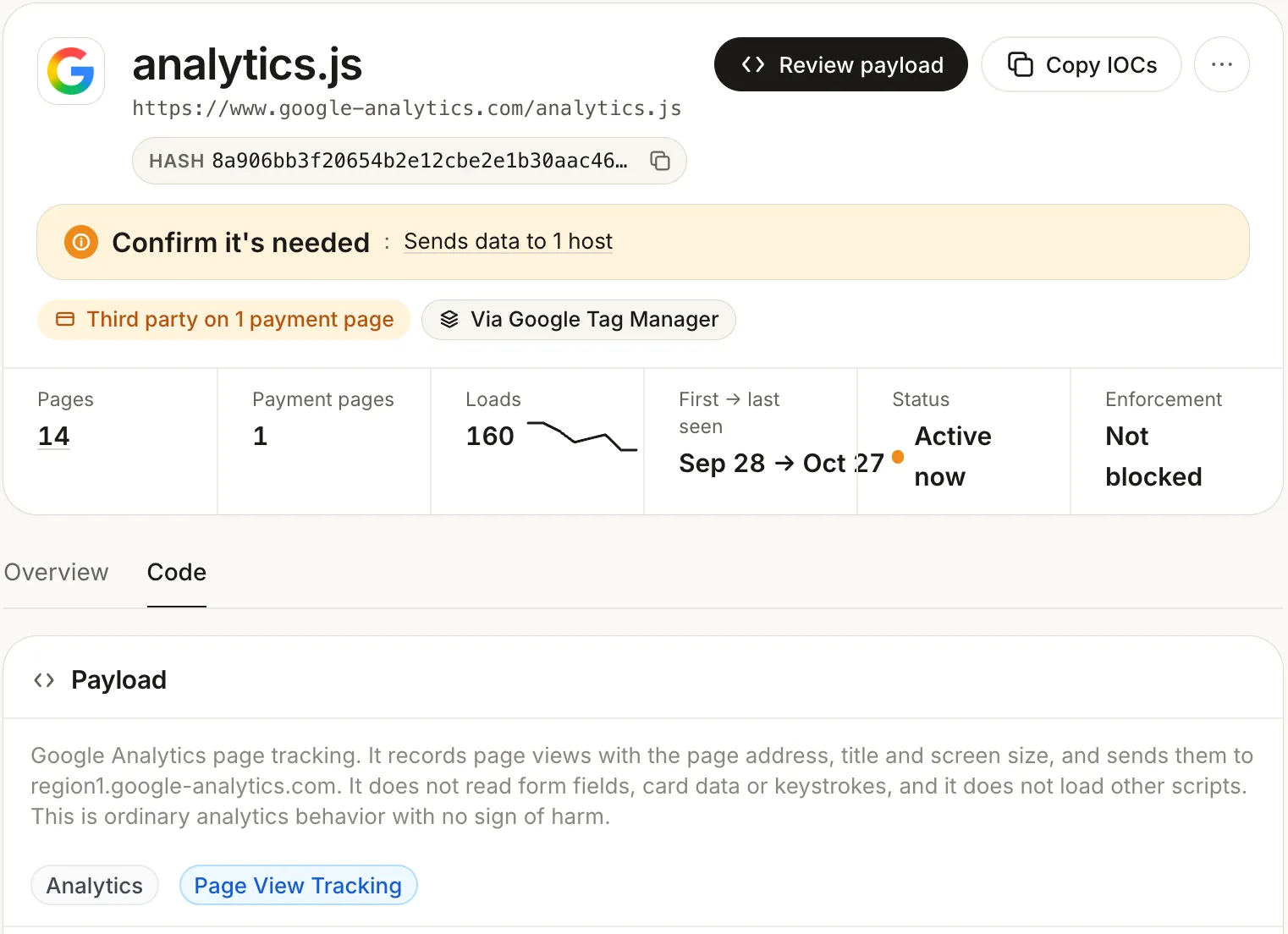
A tracker or analytics category, or a low-confidence result does not raise an alert. It is not thrown away: the category, the confidence and the evidence stay on the script's page, so you can read why it was left out and decide for yourself.
Here, Google Analytics on a payment page: no alert, a plain-language reason that it only records page views, and the Analytics category.
Detection, not approval
AI script analysis decides whether a script is a threat. It is separate from PCI auto-approval, which writes the business justification for the vendors in your inventory under PCI DSS 6.4.3. Both are on Pro and Enterprise.
AI script analysis is on Pro and Enterprise. Pro starts with a 14-day trial.
No. AI reviews scripts the detection rules have already flagged. Rules find; AI confirms: it assigns each flagged script a category with a confidence score, and only a category that calls for action, with enough confidence, becomes an alert.
Nothing is thrown away. A tracker or analytics category, or a low-confidence result stays on the script's page with its category, confidence and the evidence, so you can see why it did not alert.
No. Each script body is scored once. Identical code is matched by a hash of its content, so the same file on many pages is analyzed once, and a script whose code changes is scored again as new code.
No. AI script analysis is detection: it assigns flagged scripts a category, such as payment skimmer, with a confidence score. PCI auto-approval writes the business justification for the vendors in your inventory, for PCI DSS 6.4.3. Both are on Pro and Enterprise.
Pro and Enterprise. Pro starts with a 14-day trial. The free plan includes the script inventory, tamper detection, block rules and email alerts.
See it on your own payment pages.
Install the tag, mark your payment pages, and see every script with its category. Free forever on 1,000 page views a month; AI script analysis starts with the Pro trial.